

Back in time, publishing a book used to be all about waiting for approvals, chasing agents, and hoping someone would take a chance on your manuscript. Today, things are very different. Authors now have direct access to readers, and platforms like Amazon have made that possible through Amazon KDP publishing.
If the idea of publishing your first book has ever crossed your mind, this Amazon KDP publishing guide will walk you through the process. Despite the genre, Kindle publishing offers one of the easiest ways to start self-publishing books and reach a global audience.
Note if you’re a beginner to the Book Publishing industry: This guide is designed in the easiest way for beginners who want clarity, not confusion. You will learn how the process works, what to expect, and how to avoid common mistakes when publishing on Amazon.
Let Keach Publishing guide you from manuscript to marketplace
Turn your ideas into a professionally published book.What Is Amazon KDP And Why Authors Choose It
Amazon Kindle Direct Publishing (KDP) is a self-publishing platform that allows authors to publish ebooks, paperbacks, and hardcovers without needing a traditional publisher. It helps you control your content, pricing, and distribution.
This is why many authors prefer self-publishing books on Amazon instead of traditional publishing routes.
Key benefits:
- No upfront publishing costs
- Global distribution through Amazon
- Higher royalty potential (up to 70%)
- Full creative control
- Faster publishing timeline
With the right Kindle publishing guide for beginners, authors can publish a book within days instead of months.
Another major advantage is discoverability. Amazon already has millions of active readers. When your book is optimized properly using the right KDP keywords and categories, it can appear in search results and recommendations.
Publishing is easy. Publishing successfully requires strategy.
How To Publish A Book On Amazon Step By Step
If you are wondering how to publish a book on amazon, the process is simpler than most authors expect. Here is a breakdown of the main steps.
Step 1: Prepare Your Manuscript
Before uploading your book, make sure it is:
- Properly edited
- Formatted correctly
- Free from grammar errors
- Structured with clear chapters
A polished manuscript improves reader experience and reduces negative reviews.
Step 2: Create Your KDP Account
Go to Amazon KDP and create your free account. You will need:
- Author name
- Payment details
- Tax information
This step takes only a few minutes and is essential for starting your Amazon self-publishing journey..
Step 3: Format Your Book for Kindle Publishing
Formatting is a critical part of Kindle publishing. A poorly formatted book looks unprofessional and can hurt your rankings.
You can publish:
- Kindle ebook
- Paperback
- Hardcover
Most beginners start with an ebook and paperback to maximize reach.
Step 4: Upload Book Details (SEO Matters Here)
This step directly impacts your book’s visibility on Amazon.
You will need to enter:
- Book title and subtitle
- Book description
- Keywords
- Categories
Using the right keyword research strategy here can significantly improve your book’s discoverability.
Step 5: Set Pricing and Publish
Choose your price and royalty option. Then click publish.
Your book usually goes live within 24 to 72 hours.
Timeline You Should be Expecting
Here is a realistic timeline for self-publishing books:
| Step | Estimated Time |
|---|---|
| Manuscript editing | 1 to 2 weeks |
| Formatting | 1 to 3 days |
| Cover design | 2 to 5 days |
| Upload process | 30 minutes |
| Amazon review | 24 to 72 hours |
This fast turnaround is one of the biggest reasons authors choose this platform for publishing.
Keywords and Categories (Critical for Rankings)
One of the biggest mistakes new authors make is skipping keyword research.
If you want to succeed with, you must understand how readers search for books.
Tips for choosing the right KDP keywords:
- Use long-tail keywords (e.g., “how to self publish a book on Amazon”)
- Avoid overly broad terms
- Research competitor books
- Focus on niche topics
For example:
Instead of “Business”
Try “Small business startup guide for beginners”
Using optimized KDP keywords and categories helps your book rank higher and reach the right audience. sales.
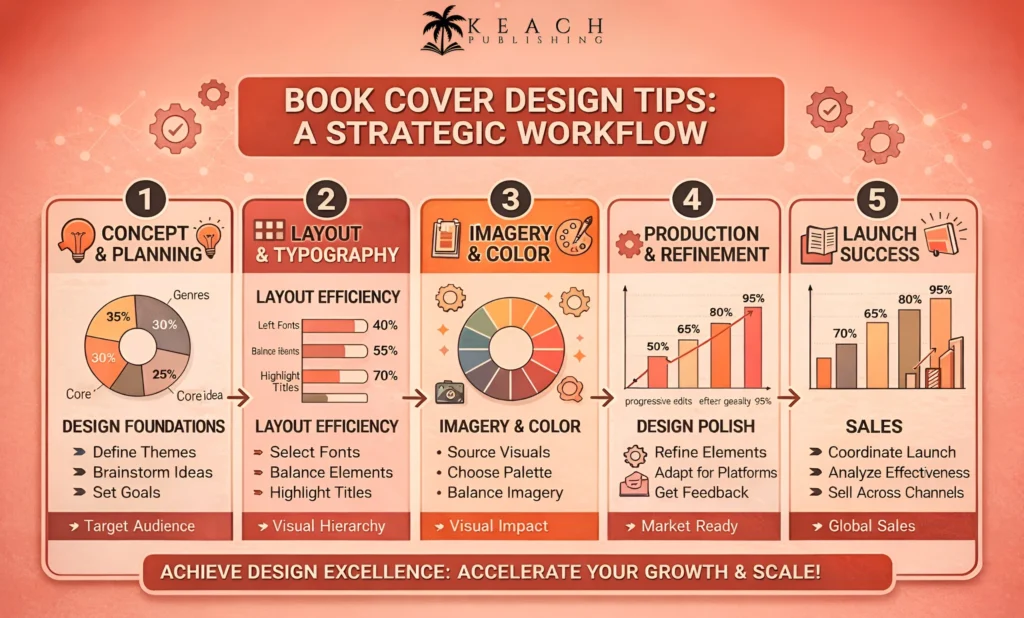
Designing A Professional Book Cover
Your book cover plays a major role in conversions. Even the best-written books struggle without a strong visual presentation.
- Be clean and readable
- Match your genre
- Use clear typography
- Avoid clutter
Many authors underestimate this step in their initial phases, but it directly impacts sales.
Keach Publishing helps authors publish professionally
Get guidance for formatting, covers, and launch strategy.Writing A Strong Book Description
Your book description acts as your sales pitch.
A strong description should:
- Grab attention immediately
- Highlight the reader’s problem
- Present your book as the solution
- Show clear benefits
- End with a call to action
This is a key part of any Kindle publishing strategy and can significantly improve conversionsn.
Common Mistakes New Authors Make
HerWhen starting with Amazon KDP publishing, many authors make avoidable mistakes:
- Skipping professional editing
- Choosing weak or irrelevant keywords
- Using low-quality book covers
- Writing poor descriptions
- Publishing without a marketing plan
Avoiding these mistakes can dramatically improve your results.
At Keach Publishing, the goal is simple: help authors publish professionally, reach more readers, and succeed with Kindle publishing.
Marketing Your Book After Publishing
Publishing your book is just the beginning. Marketing is what drives sales and visibility.
Effective book marketing strategies:
- Build an author website
- Use social media promotion
- Create an email list
- Run Amazon ads
- Plan a book launch strategy
A complete guide always includes marketing because visibility determines success. kdp publishing guide to build long term visibility.
Publish with confidence using Keach Publishing
Start your author journey todayFinal Thoughts
Amazon KDP publishing has completely changed how authors share their work. You no longer need permission to publish your book. You only need the right strategy.
This publishing guide for beginners covered everything from formatting and uploading to keyword optimization and marketing. By following these steps, you can confidently start self-publishing books and building your author career.
Whether you are just starting or looking to improve your results, understanding how to publish a book step by step will help you avoid mistakes and grow faster..