
You hear about KDP constantly. Publish your book. Reach millions of readers. Keep your rights and royalties. Sounds wonderful. But what does the actual interface look like? How does this mysterious platform really work? Let me pull back the curtain. No jargon. No technical confusion. Just a clear tour of the amazon kdp publishing interface and how to navigate it successfully.
Keach Publishing guides authors through every screen and setting.
Explore With Keach Publishing!What Does the Amazon KDP Publishing Platform Look Like?
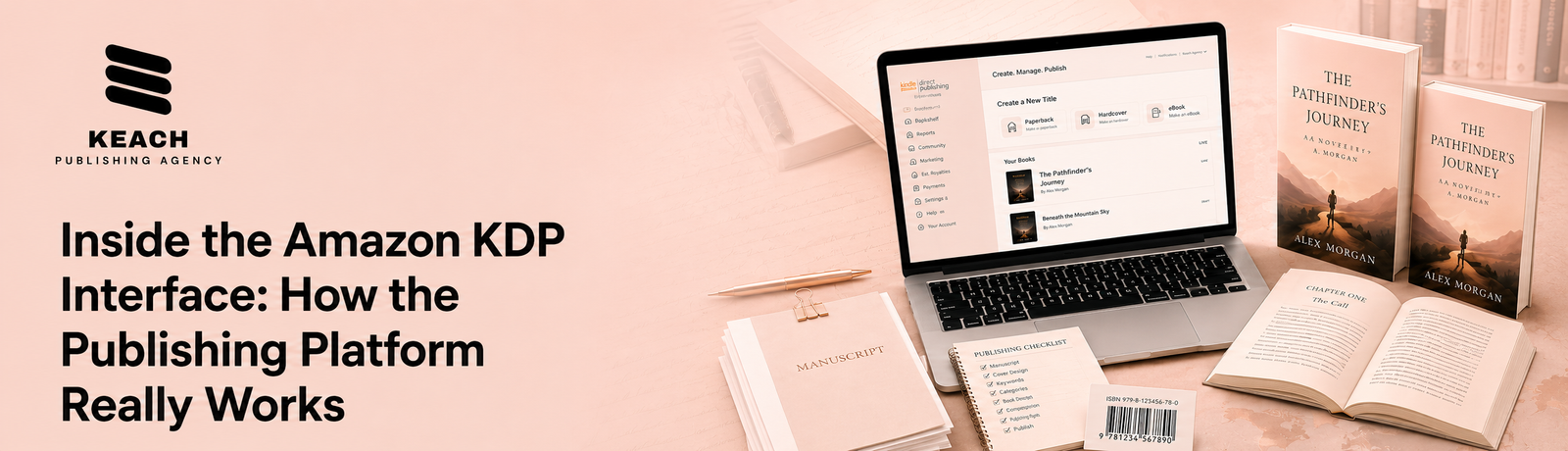
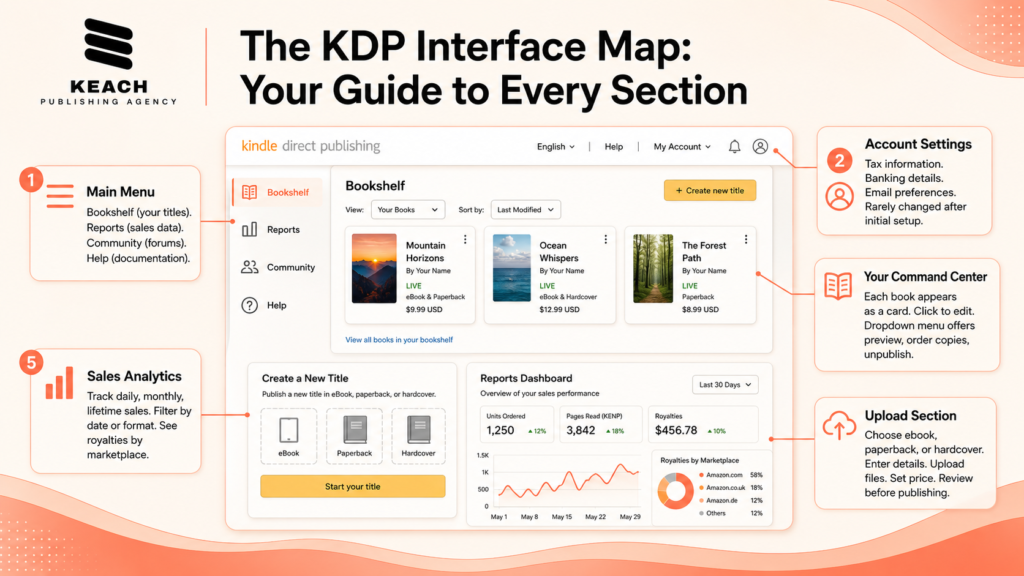
The amazon kdp publishing platform greets you with a clean dashboard. Your books appear in a list. Each row shows your title, format, status, and sales data. The design prioritizes clarity over flashiness. A left sidebar contains your main navigation options. The bookshelf shows all your titles. Reports display your sales data. Community links to author forums. Help connects you to support documentation. Each section serves a specific purpose.
The top menu bar holds your account settings. Update your tax information here. Change your banking details. Adjust your email preferences. These settings rarely need changes after initial setup. New users find the interface intuitive but detailed. Do not rush. Explore each section before uploading your first book. Understanding the layout prevents mistakes later.
How Does Self Publishing Book Amazon KDP Interface Guide You?
- Self publishing book amazon kdp interface walks you through each step. Click “Create a new title” to start. KDP asks for your book’s format first. Choose between Kindle ebook, paperback, or hardcover. Each format requires a separate setup.
- The Kindle ebook creation page collects your book details. Enter your title, subtitle, and author name. Add your series information. Write your book description. Upload your manuscript and cover. Set your price and royalty. The page groups related fields together logically.
- The paperback creation page asks for additional specifications. Choose your trim size. Select cream or white paper. Decide on black and white or color interior. Upload your interior PDF and cover PDF separately.
- The interface validates your files automatically. It flags missing information. It warns about formatting issues. This real-time feedback prevents many common errors.
If you have been following our series on the complete KDP journey, our previous post on The Amazon KDP Journey covers the writing and preparation stages before you reach the interface. Understanding both sides creates a complete picture.
Navigating The KDP Interface Feels Overwhelming?
It does not have to. Keach Publishing provides hands-on help with the Amazon KDP publishing platform for authors. We demystify every screen, setting, and option so your book launches correctly. Get platform help today.
What Tools Does the Amazon KDP Ebook Publishing Platform Offer?
The Amazon KDP ebook publishing platform includes several helpful tools. Kindle Create formats your manuscript automatically. Download this free software to convert Word documents into professional ebooks. No technical expertise required. Cover Creator offers basic cover design. Choose from hundreds of templates. Customize colors, fonts, and images. This tool works for beginners on tight budgets. However, professional cover design typically produces better results.
KDP Reports displays your sales dashboard. Track daily, monthly, and lifetime sales. See which titles perform best. Understand your royalties by marketplace. Filter data by date range or format. These reports inform your marketing decisions. Amazon Author Central connects to your KDP account. Manage your author profile here. Add your bio, photo, and social media links. Claim all your books under one professional author page. This separate tool requires its own login.
How Do You Navigate the KDP Bookshelf?
The Bookshelf serves as your command center. Each book appears as a card. Click the card to edit your book details. The dropdown menu offers additional options. Preview your book, order author copies, or unpublish temporarily.
The “Manage Keywords” option allows frequent updates. Change your keywords anytime after publication. Test different phrases. See what drives traffic. Update based on your search term reports.
The “Rights and Pricing” section lets you adjust prices globally. Raise or lower prices across all marketplaces. Change royalty options if your price range allows. Update distribution territories as needed.
The “KDP Select” tab shows your enrollment status. Enroll your ebook for 90 day periods. Access Kindle Unlimited page reads and promotional tools. The interface clearly displays remaining enrollment time.
Keach Publishing provides complete Amazon KDP publishing guidance.
Master the interface!What Common Interface Mistakes Should You Avoid?
Even experienced authors make interface mistakes. Rushing through book details tops the list. Incorrect title or author name entries require support tickets to fix. Double check every field before publishing. Choosing broad categories limits your visibility. The interface suggests popular categories. Ignore these suggestions. Dig deeper into subcategories. Specific categories face less competition.
Forgetting to preview your book costs sales. The interface offers a previewer tool. Use it. Check your book on multiple device types. Catch formatting issues before customers do. Neglecting your back matter misses opportunities. Add links to your website and email list. Include a preview of your next book. Encourage reviews. The interface allows rich formatting in your back matter.
Keach Publishing provides complete support for the entire publishing process.
Book a consultation Today!Wrap Up
The Amazon KDP interface looks complex at first glance. However, each screen serves a logical purpose. Each tool helps you publish and market your book. Take time to explore before uploading. Read the help documentation. Preview your book carefully. Double-check every field.
The authors who succeed treat the interface as a tool, not a barrier. They learn each section. They test different options. They refine their approach with every new release.
At Keach Publishing, we help authors master every aspect of KDP. From interface navigation to book setup to ongoing optimization, we handle the technical complexities so you can focus on writing. Your book deserves a smooth publishing experience. Let us help you achieve it.